
Aurora Store APK
1 Hour Ago
14 MB
4.9.6
Android 5.0 and Above
10K+

Description
You just got a new Android phone, but the app you desperately need is either geo-restricted, pulled from Google Play, or just unavailable in your region. Sound familiar? Millions of Android users face this exact frustration every single day. Then someone mentions Aurora Store APK— and suddenly, everything changes.
Aurora Store is not just another APK downloader. It is a fully open-source, privacy-first alternative to the Google Play Store. It lets you browse, download, and update Android apps without ever signing in with your real Google account. Think of it as your personal, anonymous gateway to the world’s largest app library. No tracking.
What Is Aurora Store APK?
Aurora Store is a free, open-source Android client for the Google Play Store. It was built as a privacy-respecting alternative that lets users download apps directly from Google’s servers — without needing a personal Google account. Instead, it uses anonymous dummy accounts to fetch app data on your behalf.
The app was developed as a successor to the older Yalp Store. Today, it is actively maintained on GitLab under the Aurora OSS project. It does not host apps itself — it simply acts as a front-end interface to the same Google Play backend, meaning every app you download through it is the exact same file you would get from the Play Store.
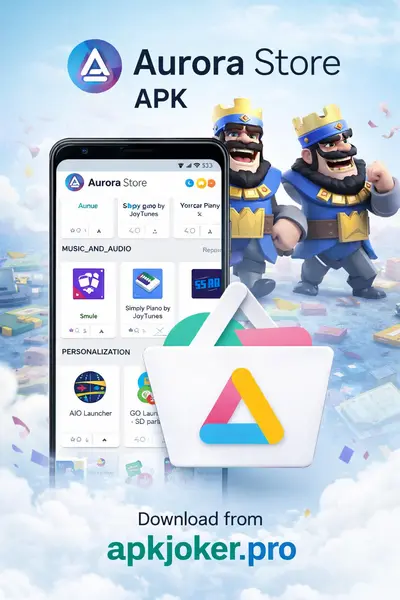
Aurora Store is particularly popular among users of custom Android ROMs (like LineageOS or GrapheneOS), people who prefer not to use Google services, and users in countries where Play Store access is restricted or limited. It is completely free, contains no ads, and collects zero personal data.
Most Powerful Features of Aurora Store Android
Anonymous Login
Aurora Store lets you log in anonymously, so Google never tracks your identity or personal data.
Download Any App from Google Play
Aurora Store pulls apps directly from Google’s own servers, guaranteeing every download is authentic and unmodified.
App Update Management
You can view and update all your installed apps in one place, even those originally installed outside of Aurora Store.
Spoofing Support
Aurora Store lets you mimic a different Android device to access region-locked or device-restricted apps without needing root access.
Blacklist and Filtering Options
You can blacklist specific apps to prevent automatic updates, keeping full control over which version stays installed on your device.
How to Download Aurora Store APK for Android
- Visit the Official Aurora Store GitLab page at gitlab.com/AuroraOSS/.
- Scroll to the Releases section and tap the latest stable release.
- Download the AuroraStore.apk file to your device.
- Go to your Android Settings → Security and enable Install from Unknown Sources.
- Open your file manager and locate the downloaded APK.
- Tap the file and follow the on-screen prompts to install.
- Once installed, open Aurora Store from your app drawer.
How to Use Aurora Store App — Step-by-Step Guidelines
- Open Aurora Store after installation.
- Browse the home screen for featured and trending apps.
- Use the Search bar at the top to find any specific app by name.
- Tap on an app to view its details, screenshots, permissions, and reviews.
- Press the Install button to begin downloading directly from Google Play servers.
- Go to My Apps section to see all installed apps and check for available updates.
Why Choose Aurora Store Download?
Aurora Store is one of the very few apps that gives Android users genuine freedom without compromising security. Unlike random APK download sites, it pulls files directly from Google’s own servers, so authenticity is guaranteed every single time. It works beautifully on devices without Google Play Services — making it the go-to tool for custom ROM users and privacy advocates. There are no paywalls, no subscriptions, and no hidden fees involved at all.
Beyond privacy, Aurora Store simply performs well. The interface is clean, fast, and intuitive. Updates load quickly, app discovery is smooth, and the search function works just as reliably as the official Play Store. For anyone tired of Google tracking their every download, Aurora Store is a breath of fresh air. It is a trusted, community-backed tool that genuinely respects your digital rights.
Pros and Cons
Pros
- 100% free and open-source with no hidden costs or ads
- Protects your privacy through anonymous login
- Downloads authentic, unmodified apps directly from Google Play
- Works on devices without Google Play Services
- Includes powerful features like device spoofing and blacklisting
Cons
- Not available on the Google Play Store itself — requires manual APK installation
- Anonymous accounts occasionally get rate-limited by Google
- Some paid apps and in-app purchases may not work correctly
- Requires enabling “Install from Unknown Sources” which concerns some users
- Automatic background updates are less seamless compared to the official Play Store
My Personal Review
I have been using Aurora Store for about eight months on a LineageOS device, and it has genuinely become one of my most-used apps. The anonymous login works flawlessly, app downloads are fast, and I have never received a tampered or broken APK. The spoofing feature helped me access two apps that were not available in my region — something I could not do before. Overall, I rate it 4.7 out of 5.
Other User Reviews:
- Hamza R. — ⭐⭐⭐⭐⭐ Aurora Store saved me when I switched to a custom ROM. Works perfectly without any Google account. Highly recommend it.
- Sara M. — ⭐⭐⭐⭐ Really impressed by the privacy features. Anonymous login is a game-changer. Minor bugs sometimes but nothing serious.
- Ali K. — ⭐⭐⭐⭐⭐ I use this as my daily driver app store. Faster than Play Store on my older phone and updates work great.
- Usman T. — ⭐⭐⭐⭐ The device spoofing feature is brilliant. Helped me get apps that were region-locked. Took a little setup but totally worth it.
- Fatima N. — ⭐⭐⭐⭐⭐ Open-source, no ads, no tracking. This is exactly what Android needed. I will never go back to the regular Play Store.
Conclusion
In conclusion, Aurora Store APK stands as one of the most reliable, privacy-respecting tools available for Android users in 2026. It bridges the gap between user freedom and app accessibility in a way that no other free tool currently does. Whether you use a stock Android phone or a custom ROM device, Aurora Store delivers a smooth, authentic, and trustworthy app downloading experience. It is built by a community that genuinely cares about your digital rights.
FAQs
Yes. Aurora Store is fully open-source, meaning its code is publicly available for anyone to inspect. It downloads apps directly from Google Play’s own servers, so you always get authentic, unmodified files. Just make sure to download it from the official GitLab page.
No. Aurora Store offers an Anonymous Login option that uses dummy accounts to access Google Play on your behalf. You never need to enter your personal Google credentials.
Google does not allow alternative app store clients on the Play Store, as they compete with Google’s own ecosystem. This is why Aurora Store must be downloaded as an APK directly from its GitLab releases page.
Download links
How to install Aurora Store APK APK?
1. Tap the downloaded Aurora Store APK APK file.
2. Touch install.
3. Follow the steps on the screen.